One schedule the whole crew reads the same way.
Lead visits, walkthroughs, inspections, deliveries and every task on every job — on one calendar, colour-coded by person. Each project has its own schedule with phases and dependencies; the company calendar is all of them together.
7 days free. $250 a month after, whole company. Cancel any time.
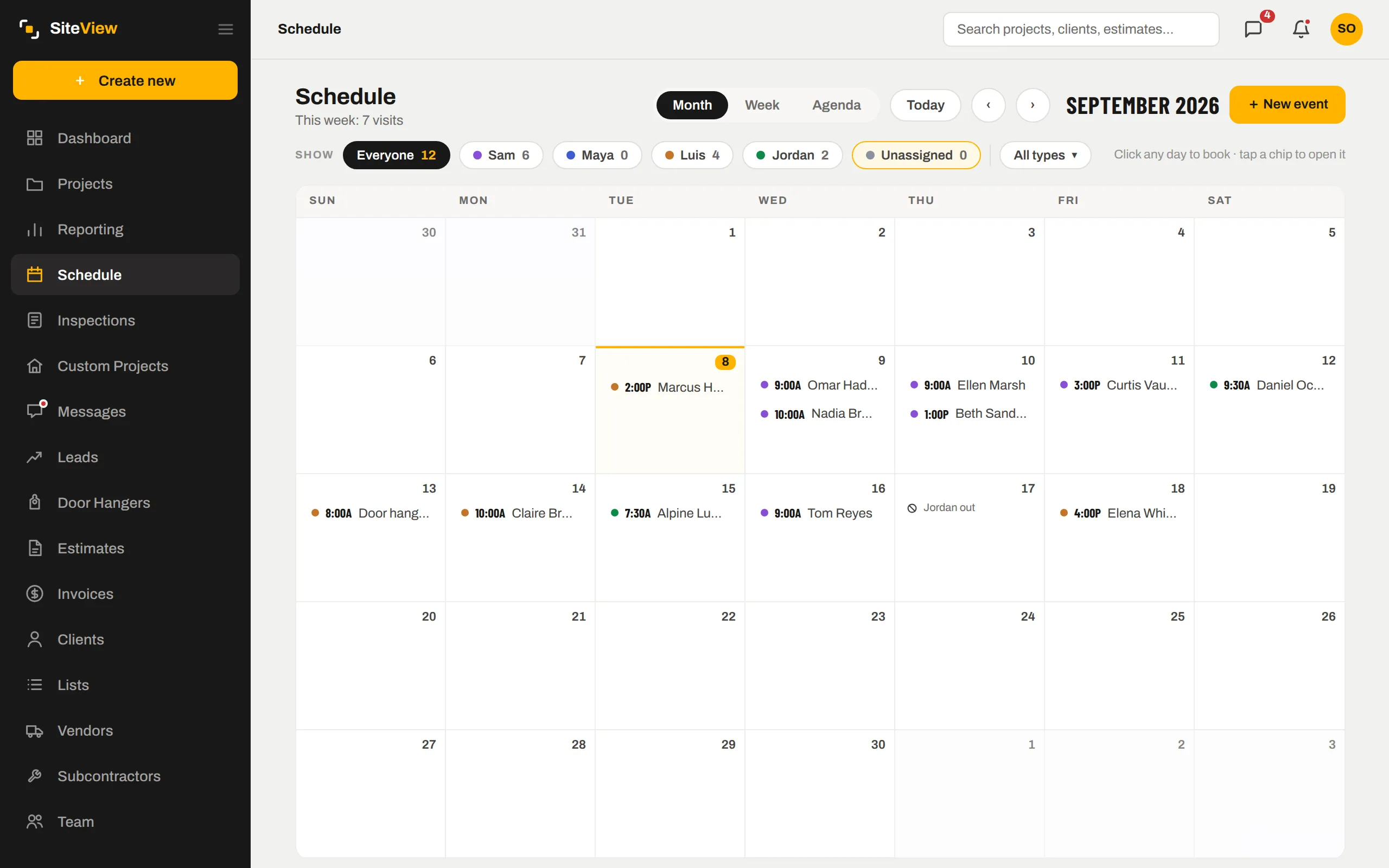
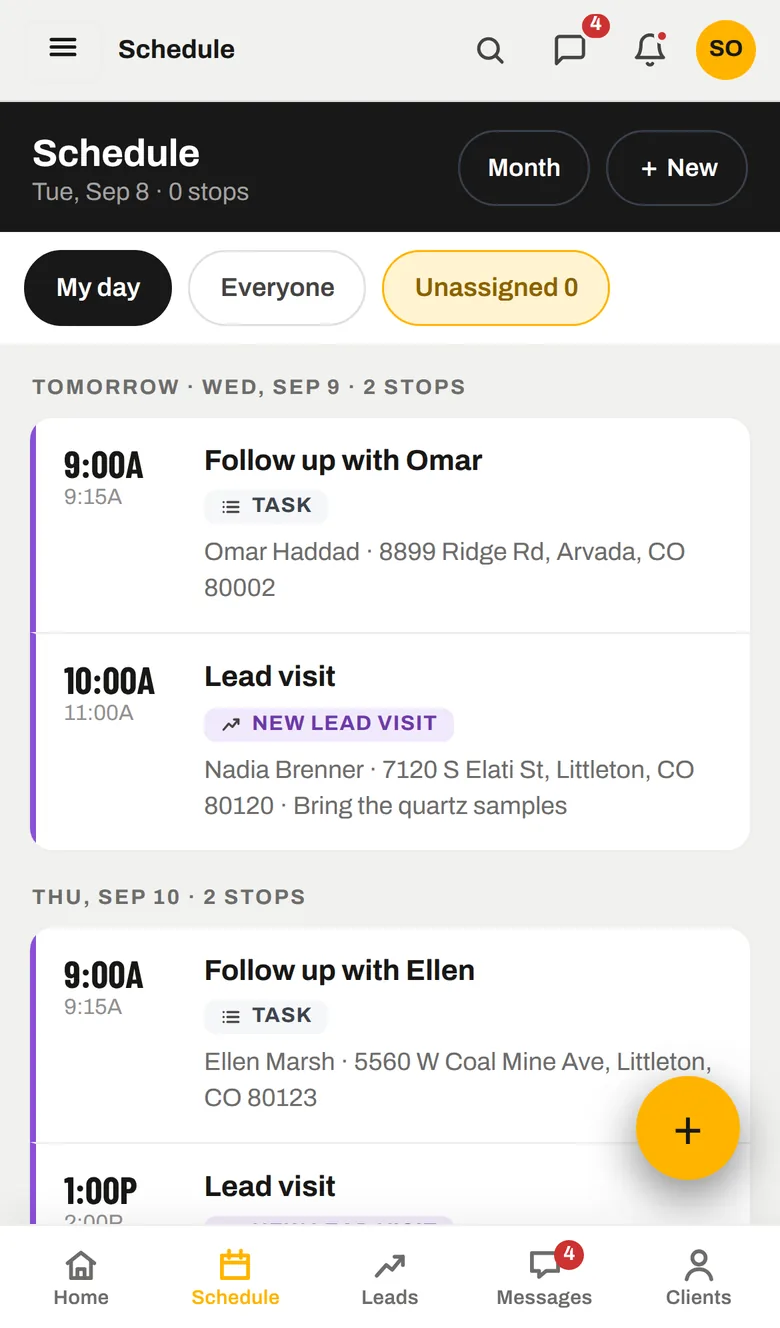
Who is where, this week.
Month, week or agenda. Filter to one person, or to unassigned visits that still need a name. Book a visit on any day with one click; a conflict shouts before you save. Days off sit on the same calendar so nobody gets booked on their day off.
- One colour per teammate — a glance says whose day it is
- "Needs a name" queue for visits nobody owns yet
- Client meetings, internal tasks, vendor deliveries, other — each its own kind
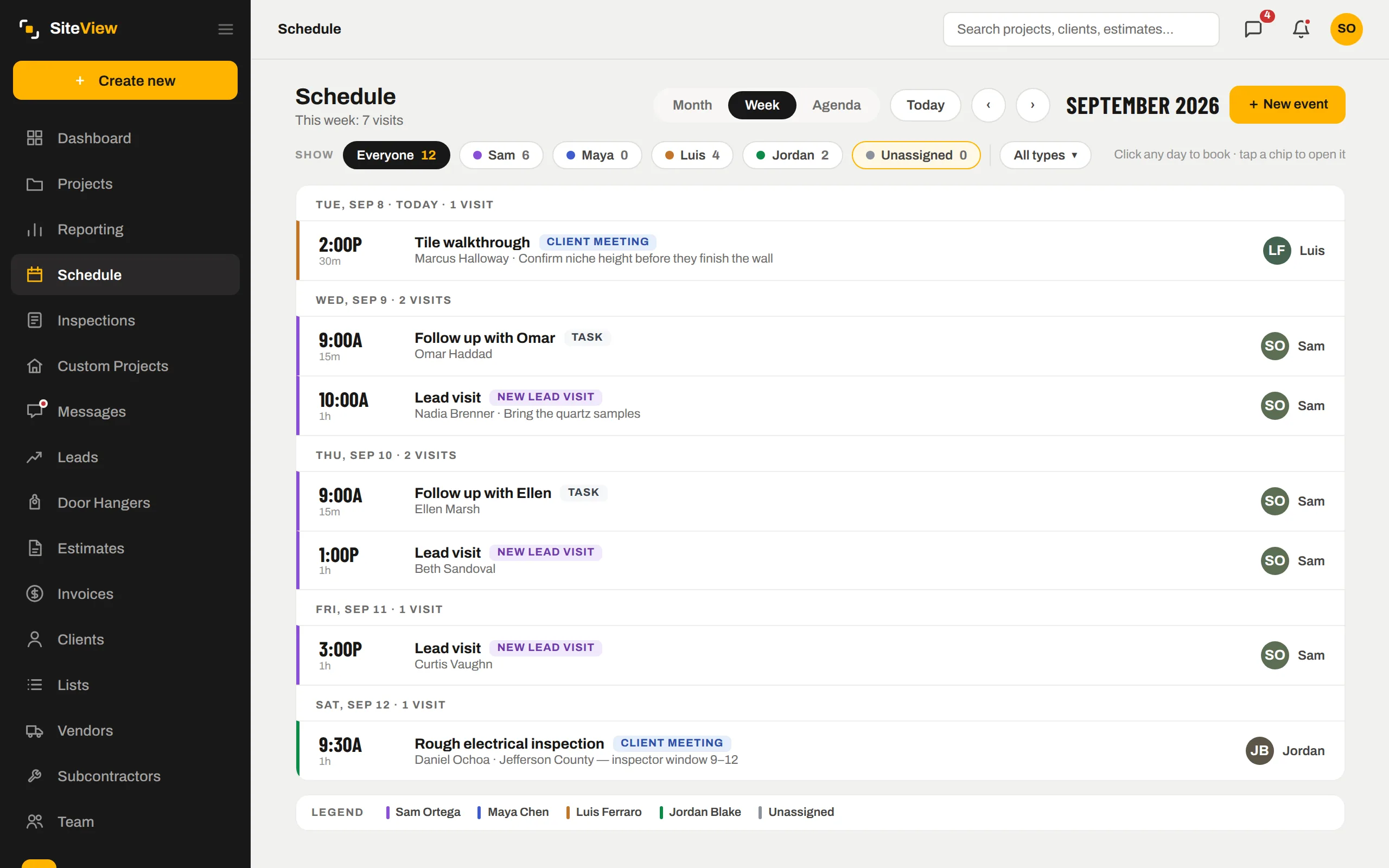
Phases, tasks, dependencies — per job.
Each project carries its own schedule: phases with tasks, who is on them, and what depends on what. Start from a template for the project type, then adjust. Shift the whole job a week and every dependent date moves with it.
- Task templates per project type, fully editable once applied
- Dependencies with lag — "tile starts 2 days after drywall ends"
- Tighten the schedule to close gaps; shift it when the permit is late
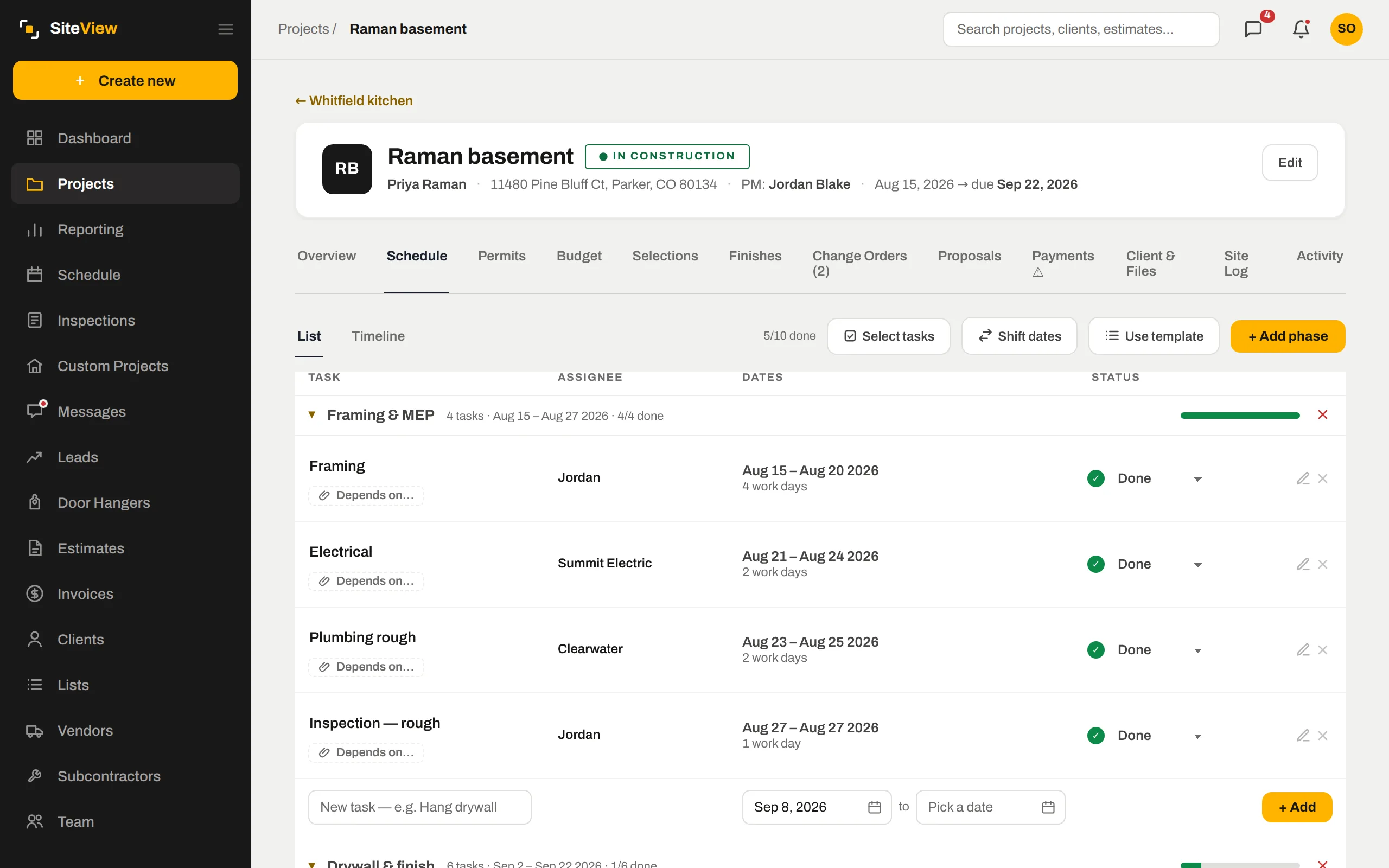
Built for the person standing on the site.
The phone shows "my day": the next stop, the address, the notes, in rows you can read at arm's length. Everyone gets their own day by email each morning — only their own — so nobody has to open anything to know where to be.
- My day / Everyone / Unassigned, one tap apart
- Tap a stop to call the client or open the job
- Works with one bar of signal — the app keeps your last day on the phone
Subs check in by scanning a QR — no login, no app.
Print the project QR and post it on site. A sub scans it, enters a name, picks a crew and is logged with the exact arrival time and a photo. You see who was on which site today without asking.
- Resets every day at 8 PM
- Shows only the project type and address to whoever scans
- Arrivals land on the project's site log
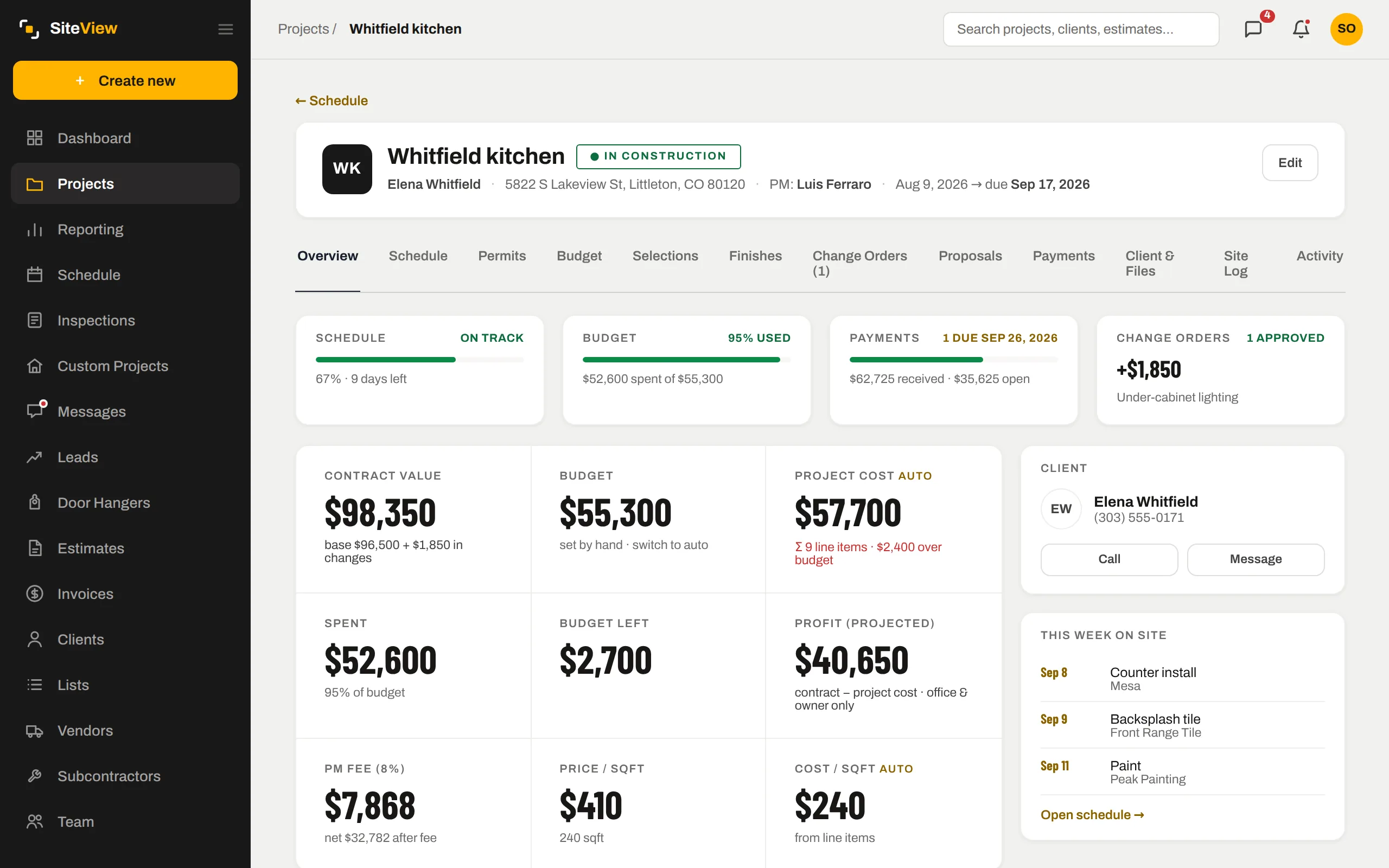
The same record, further along.
Nothing here is a separate module with its own copy of the data. Scheduling is one view of the job; these are the next ones.
Booking the visit from a lead puts it here, moves the lead to Scheduled, and tells the digest.
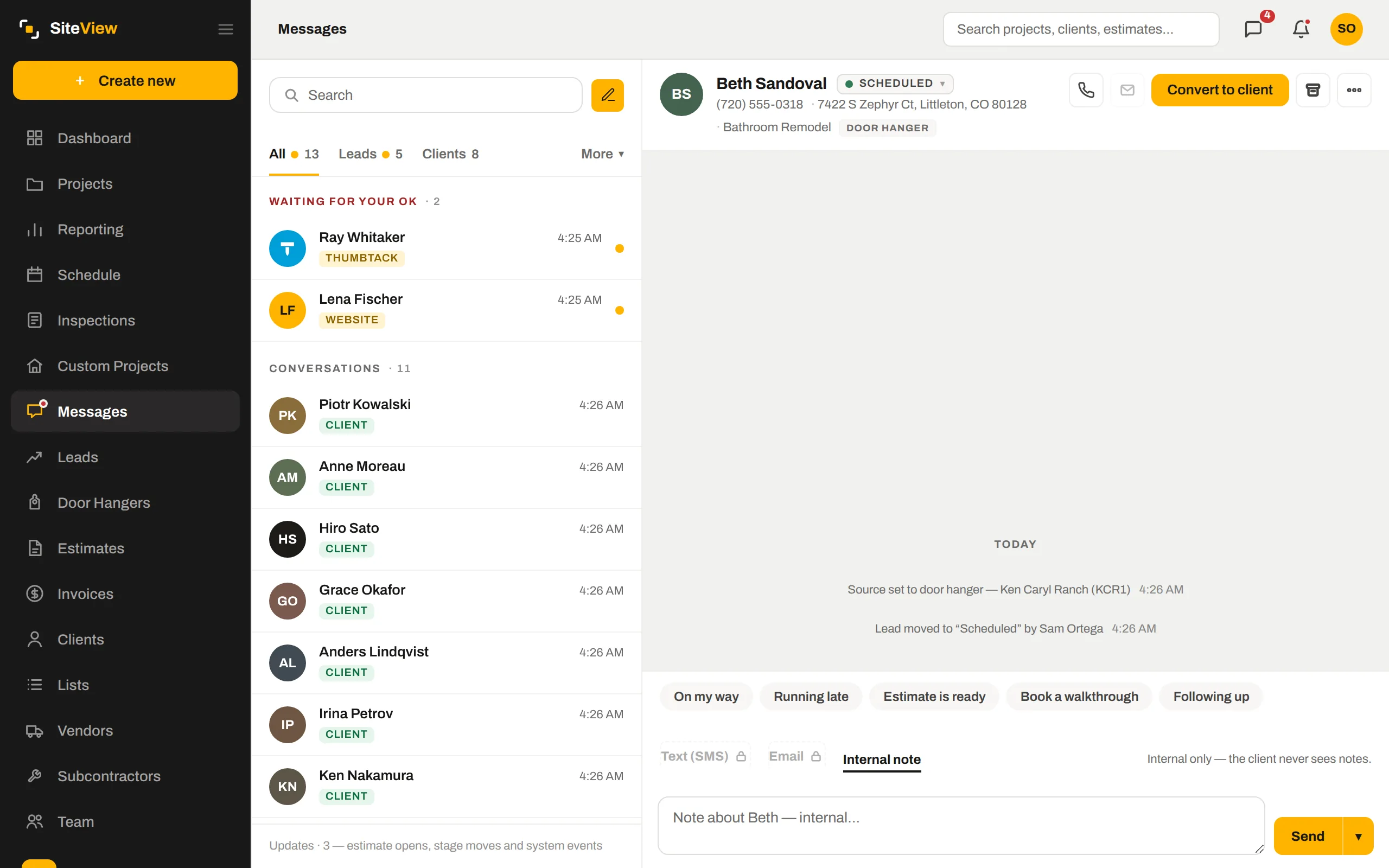
Apply an inspection template and the inspections land on the job schedule with dates.
Each teammate sees their own day — on the phone and in the morning email.
Straight answers.
Does it do drag-and-drop dispatching with routes?+
Can the client see the schedule?+
What about days off?+
Put one of your own jobs through it.
Free for 7 days. We set the company up with you, load the first job together, and you judge it with your numbers — not a demo's.
7 days free. Card on file, nothing charged until day 8. $250 a month after — cancel any time.