Every lead, every job, every dollar — one place.
SiteView replaces the lead inbox, the estimate spreadsheet, the shared calendar and the two apps you are already paying for. It was built to run a real remodeling company, and it does — every day.
7 days free. Then $250 a month for the whole company — no per-user fees, cancel any time.
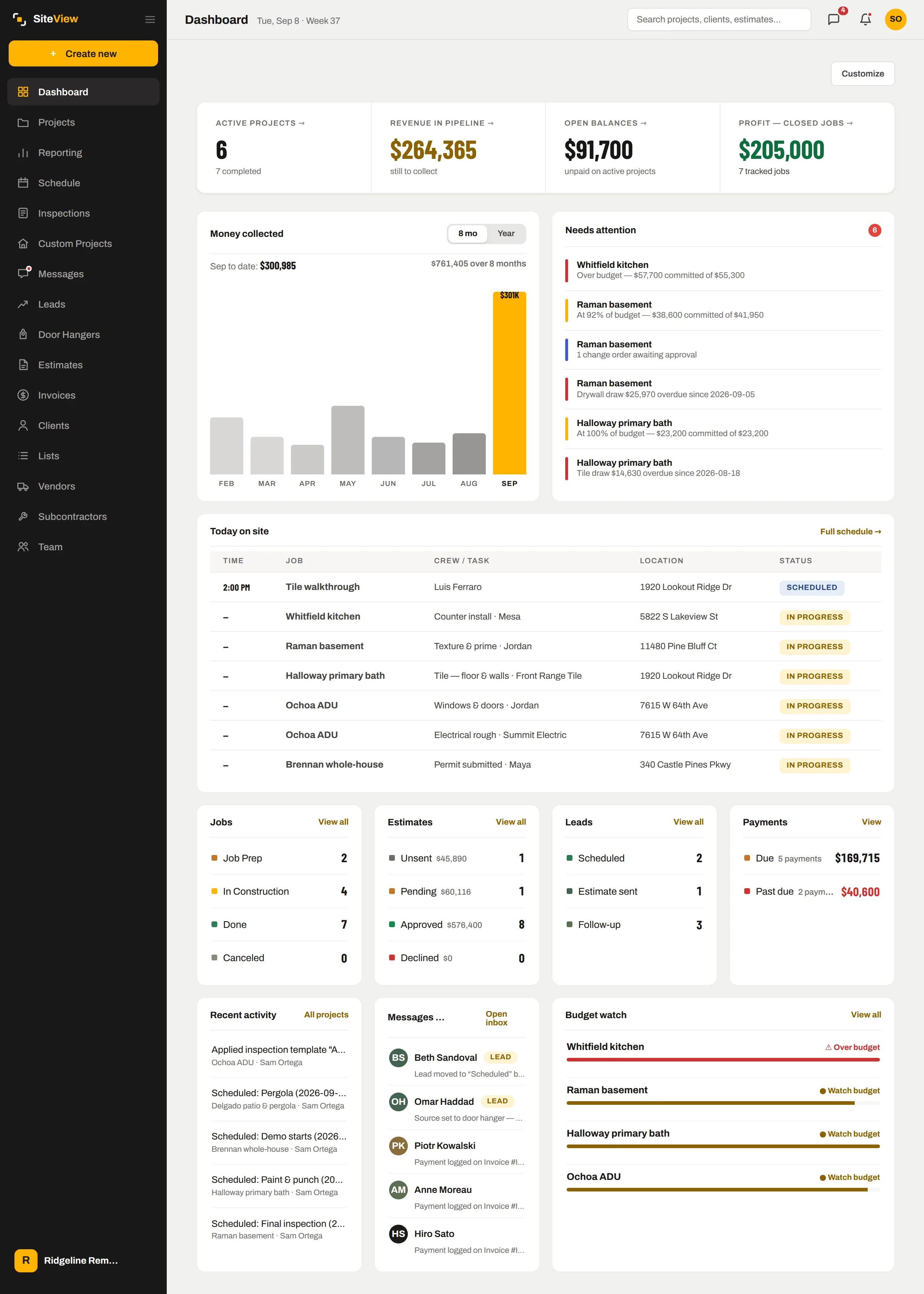
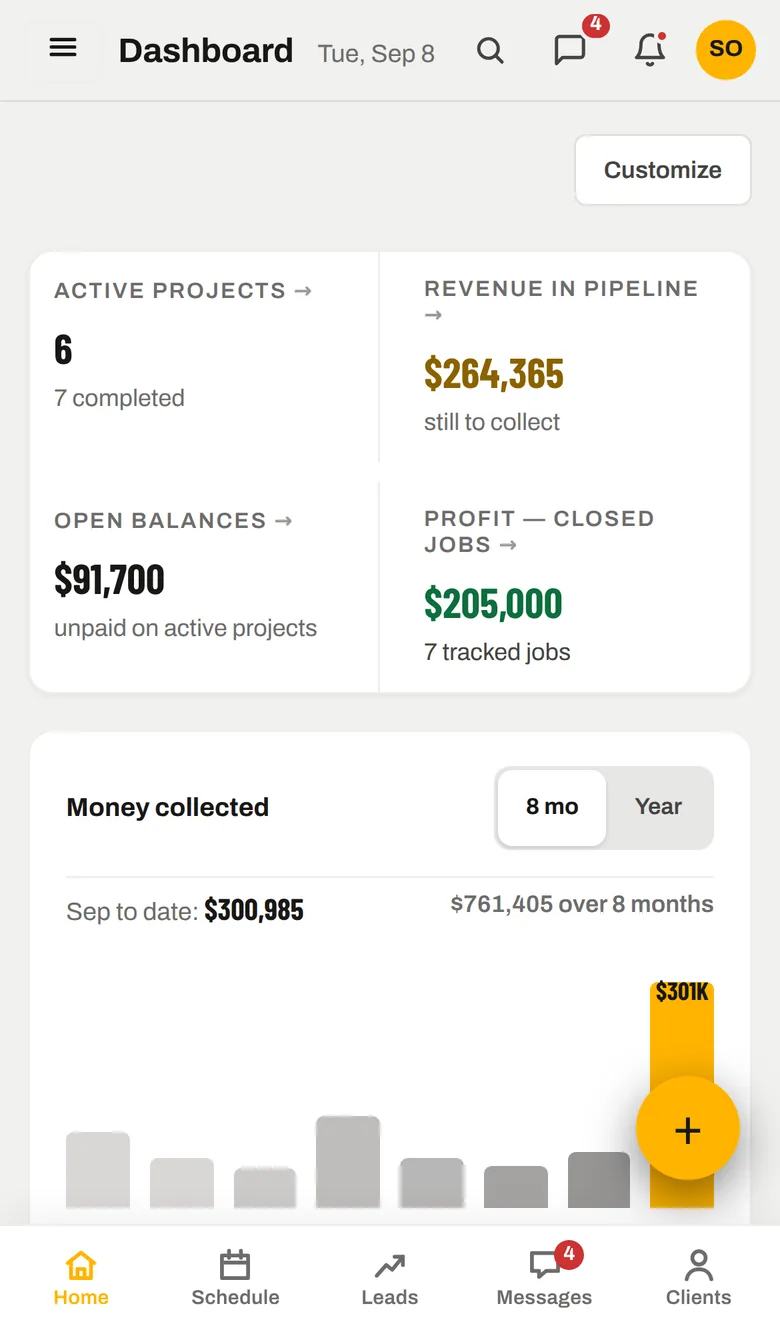
Every source, one inbox.
A lead comes in Monday. It never leaves the system.
The same record carries from the first message to the final invoice — which is why the numbers at the end can be trusted.
Built around how a remodel actually runs.
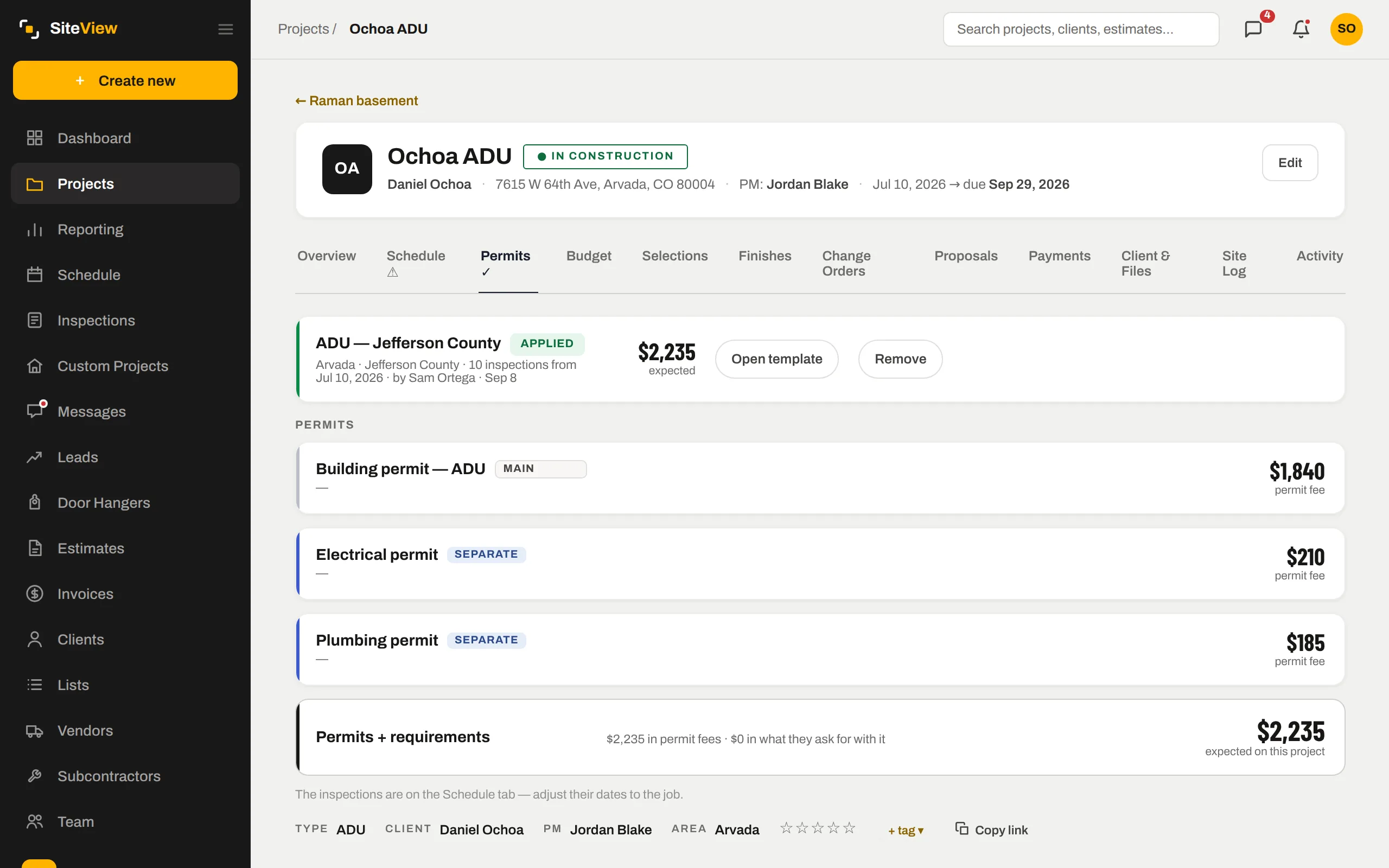
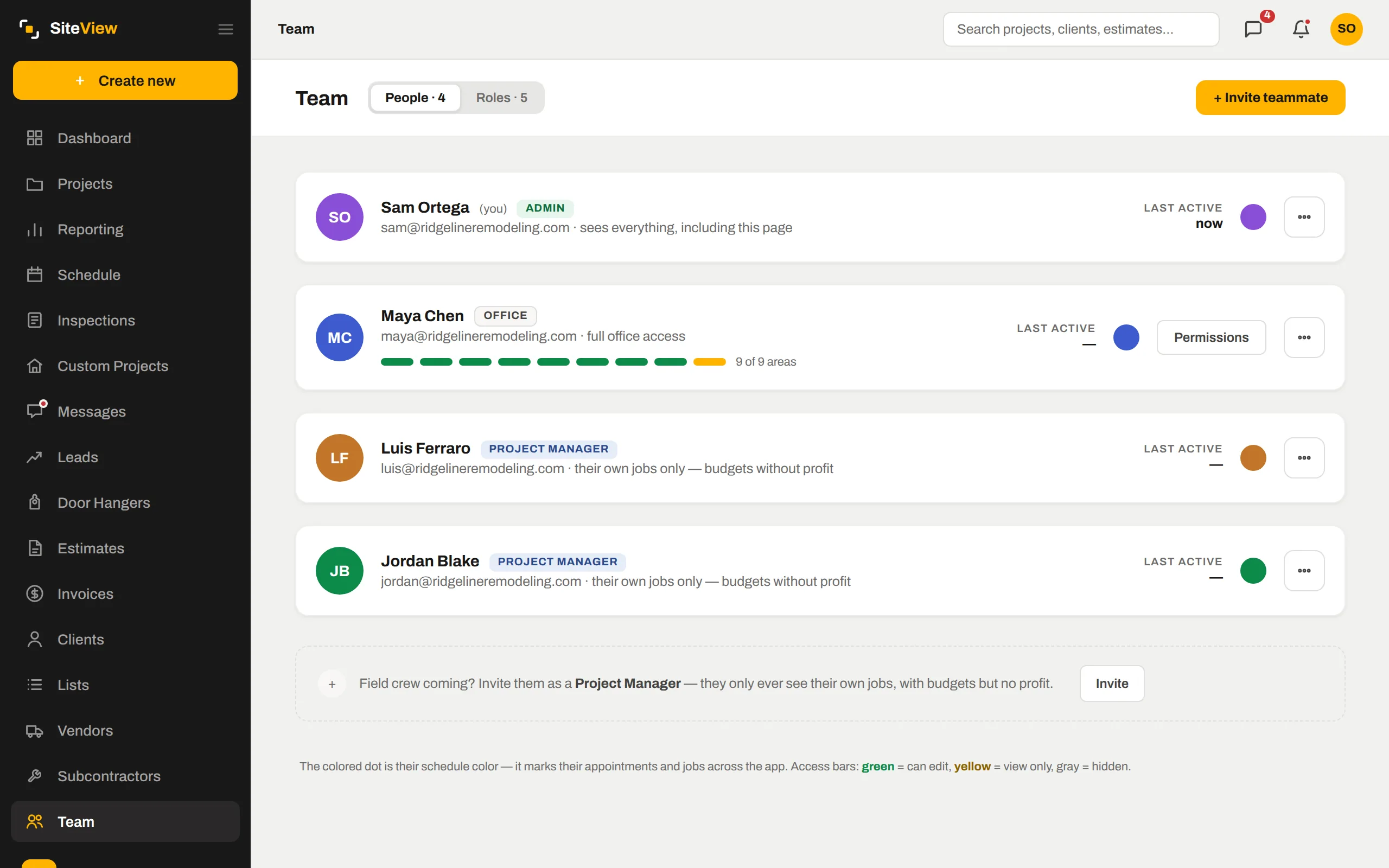
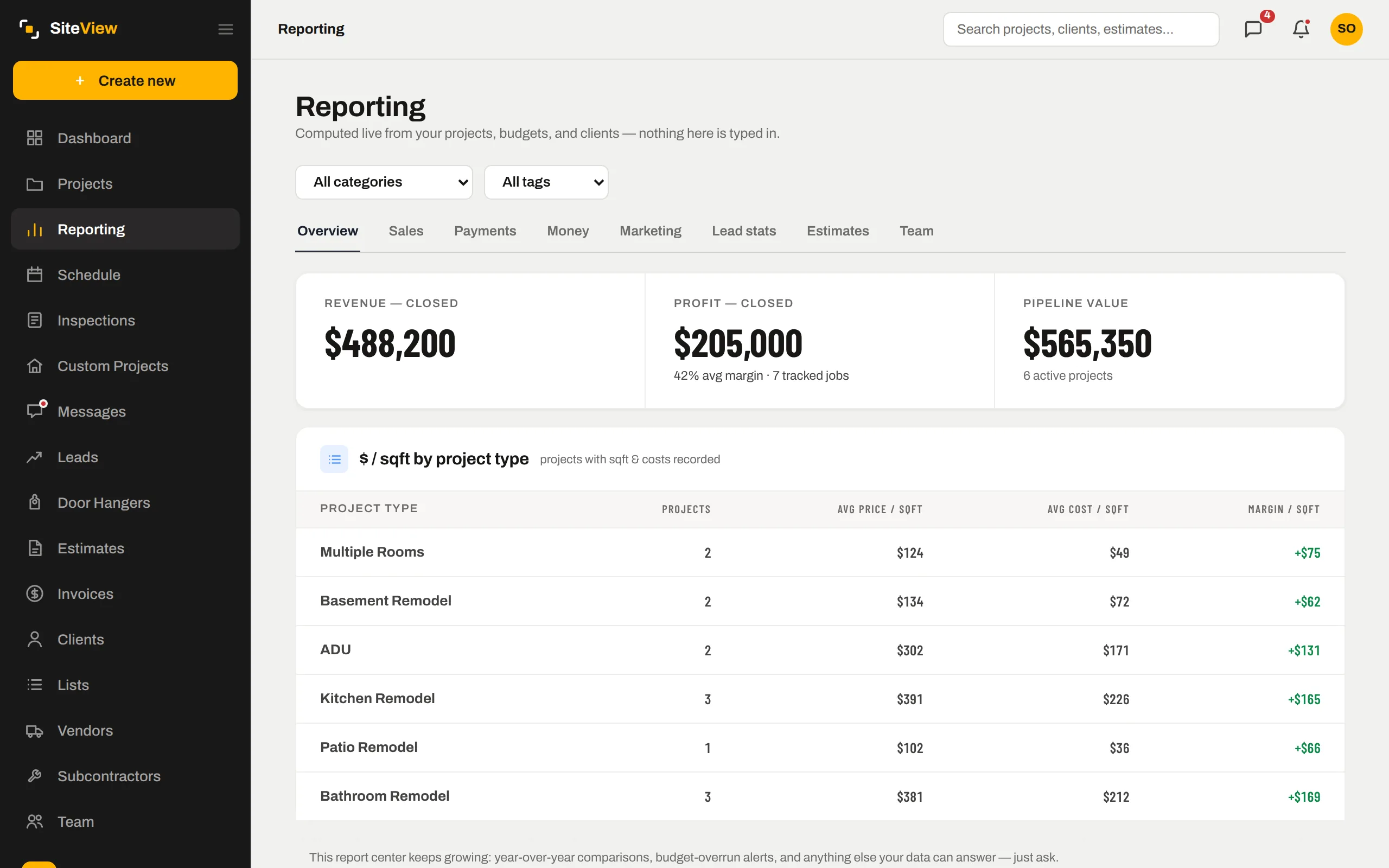
Not a generic field-service CRM with a construction theme. Every screen below is real, from a demo company, and every one exists because a job needed it.
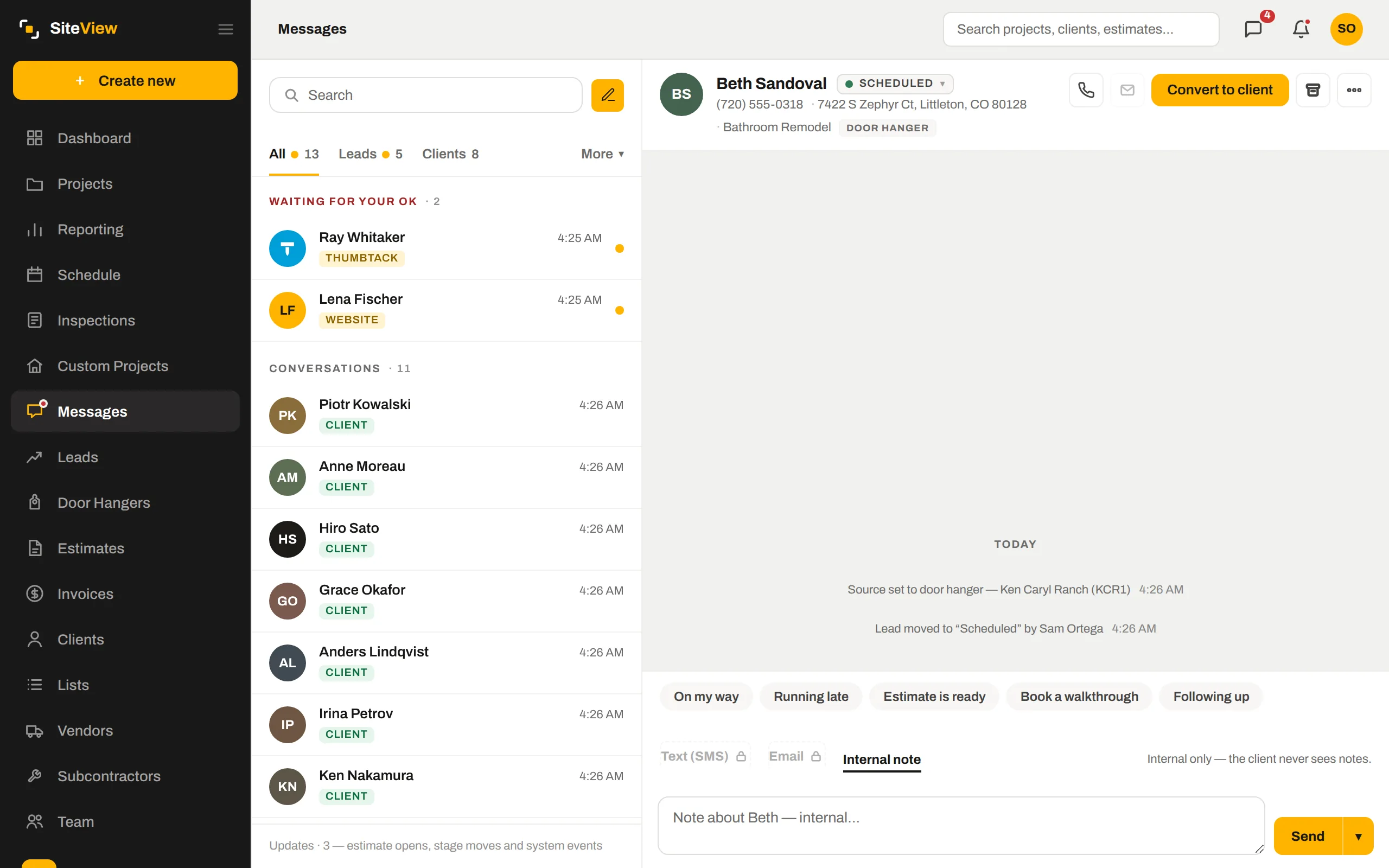
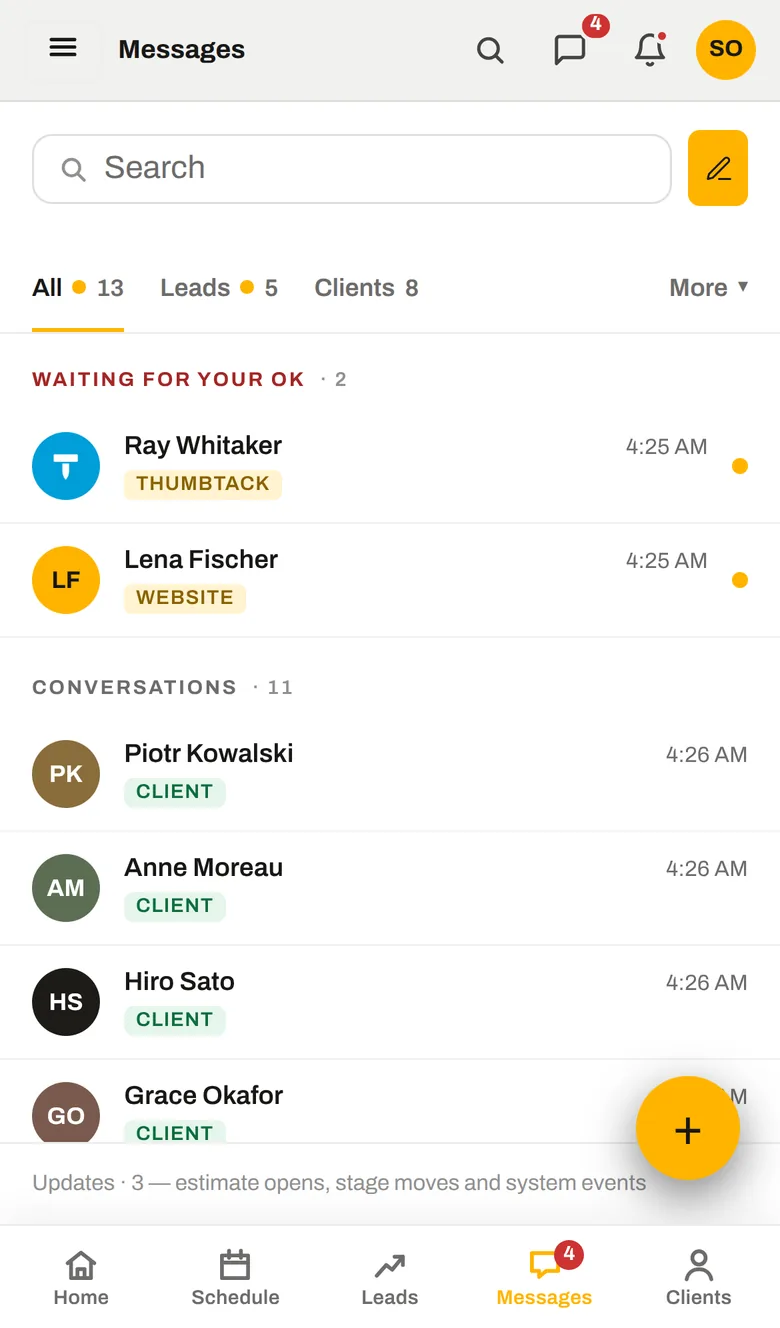
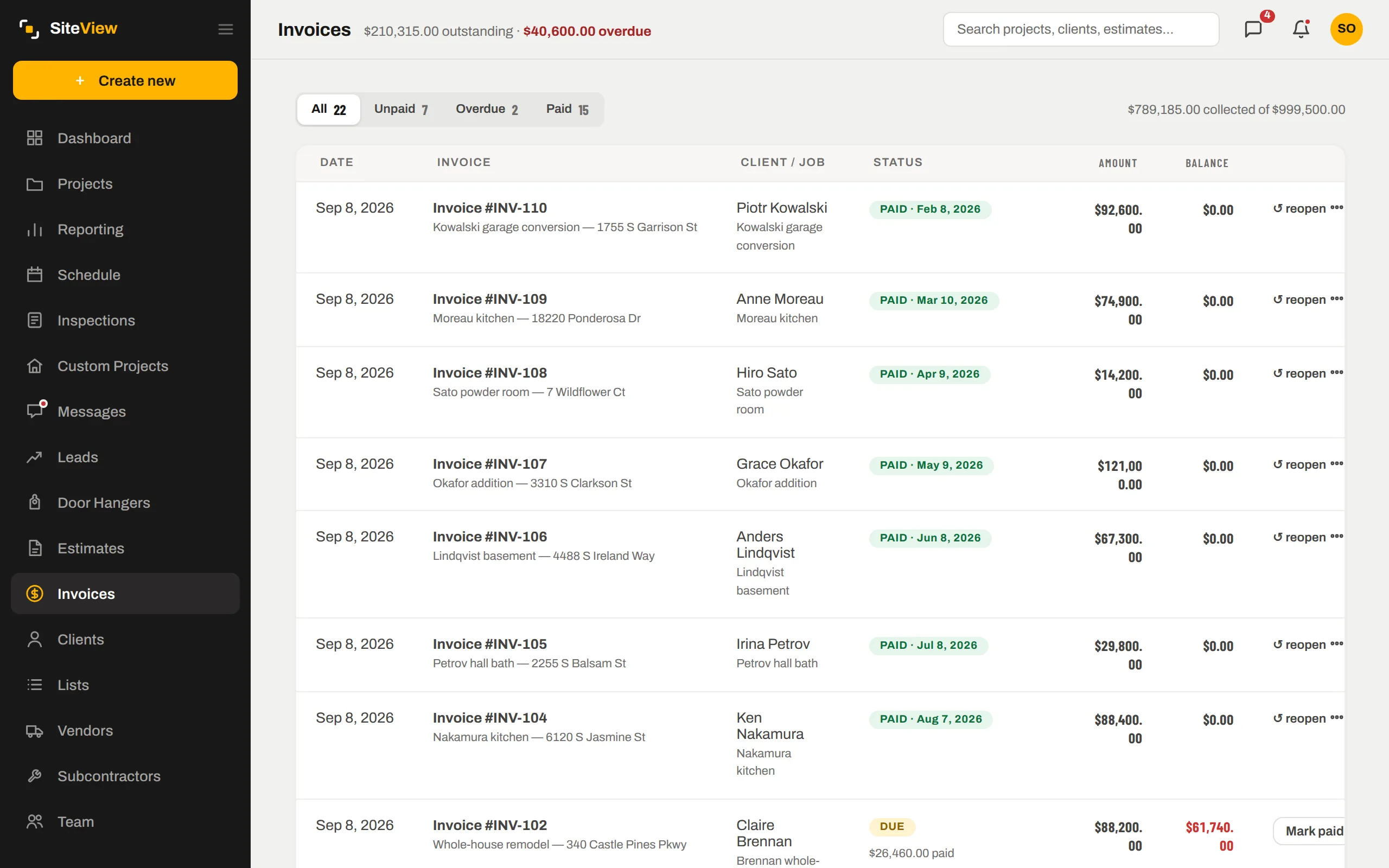
Every enquiry lands in one inbox.
Connect Thumbtack directly, point Angi and your website form at your private lead address, and every enquiry drops into Messages with its source on it. A Thumbtack reply goes back into the Thumbtack conversation; a text goes out from your own business number.
- One notification per enquiry — not one per message the platform decides to send
- Repeat deliveries from the same person fold into the same thread
- Unknown senders wait in "Waiting for your OK" so junk never becomes a lead
Estimates they can sign from the truck.
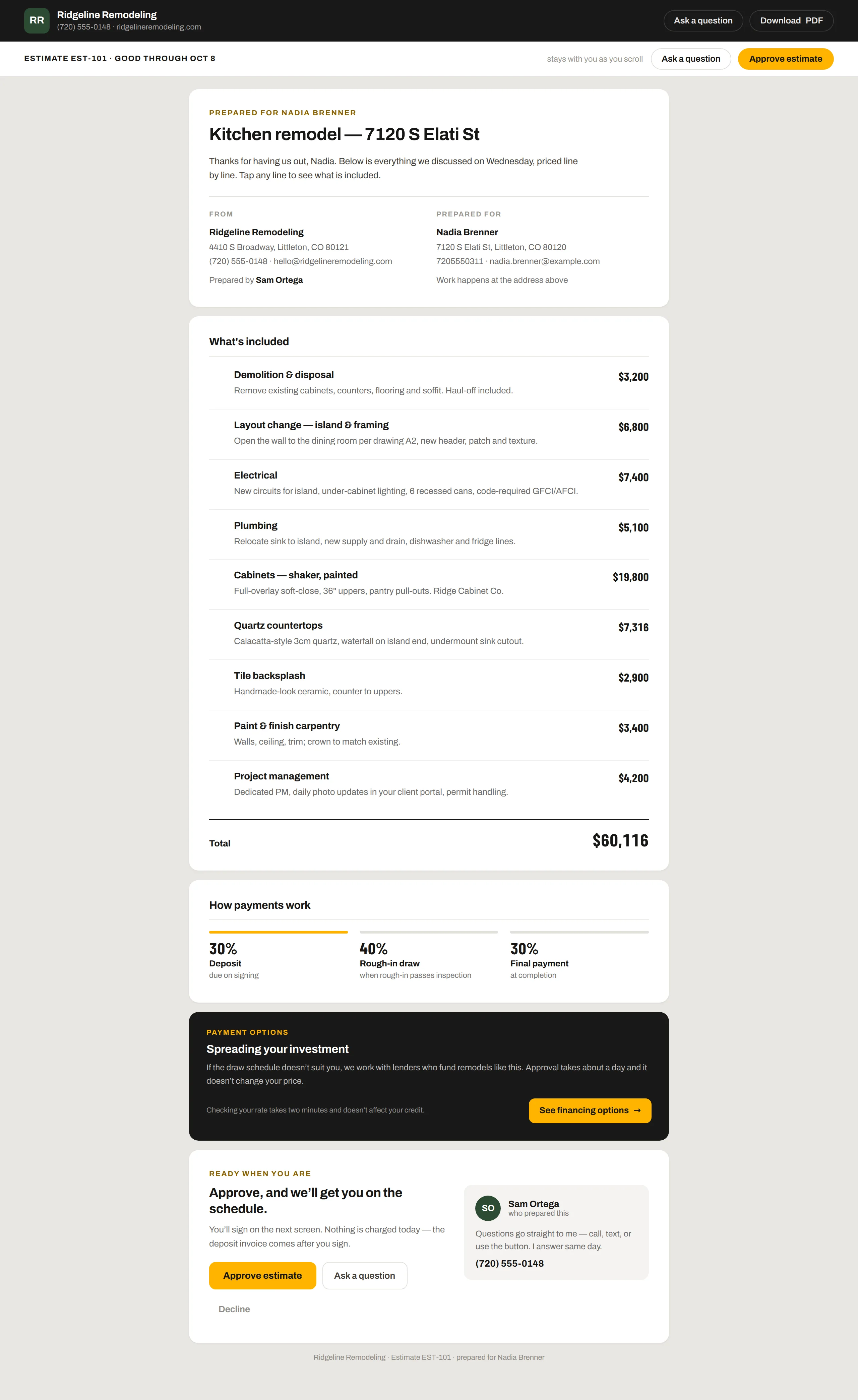
No PDF attachment. The estimate is a page: scope line by line, what is included, how payments work, financing if you offer it, and a big Approve button. You know the moment they open it, and how many times.
- Read counts come from their own page — "viewed 2× today" is a fact
- Questions come back into the Messages thread, not a lost email
- Expires on a date you set, so old numbers never get signed

Know a job is going over while you can still fix it.
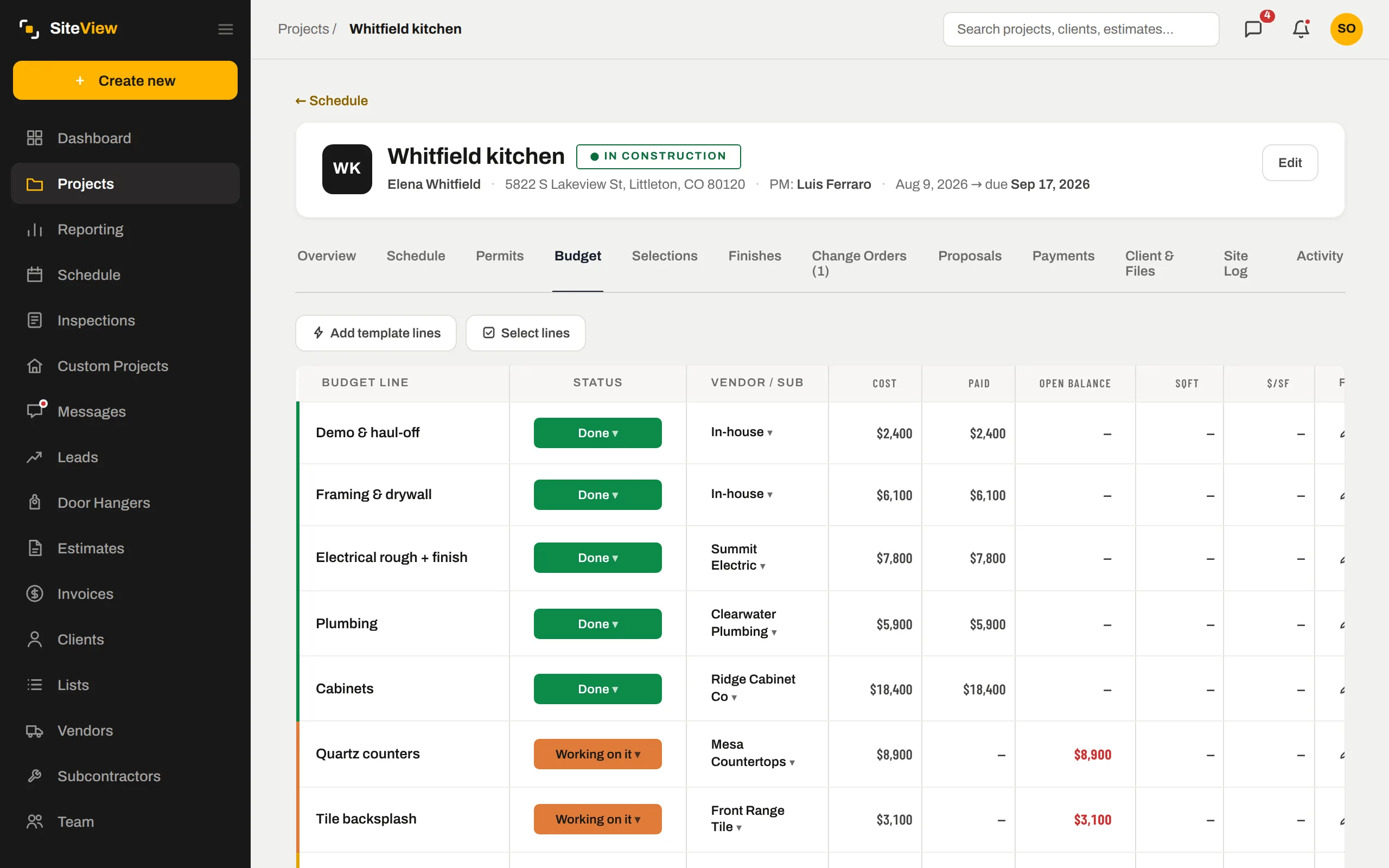
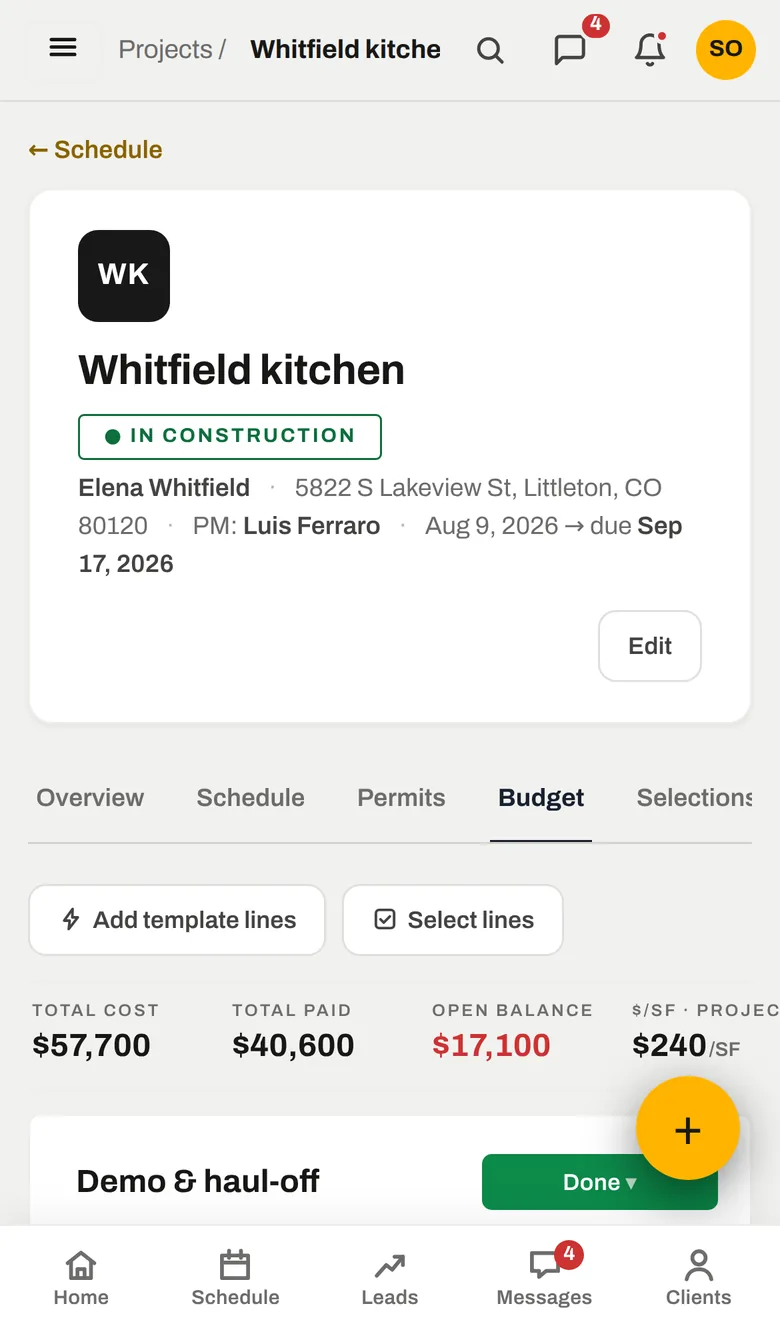
The budget is a list of what the job will cost: demo, framing, electrical, cabinets, tile — each with a vendor, a status and what has been paid. Set the budget by hand or let SiteView derive it from the contract and your markup. The moment a line is committed it counts.
- Per line: planned, working, done — with cost and paid
- Budget lines come from the estimate's costs when the job converts
- Template lines per project type for the jobs you do every week
One schedule the whole crew reads the same way.
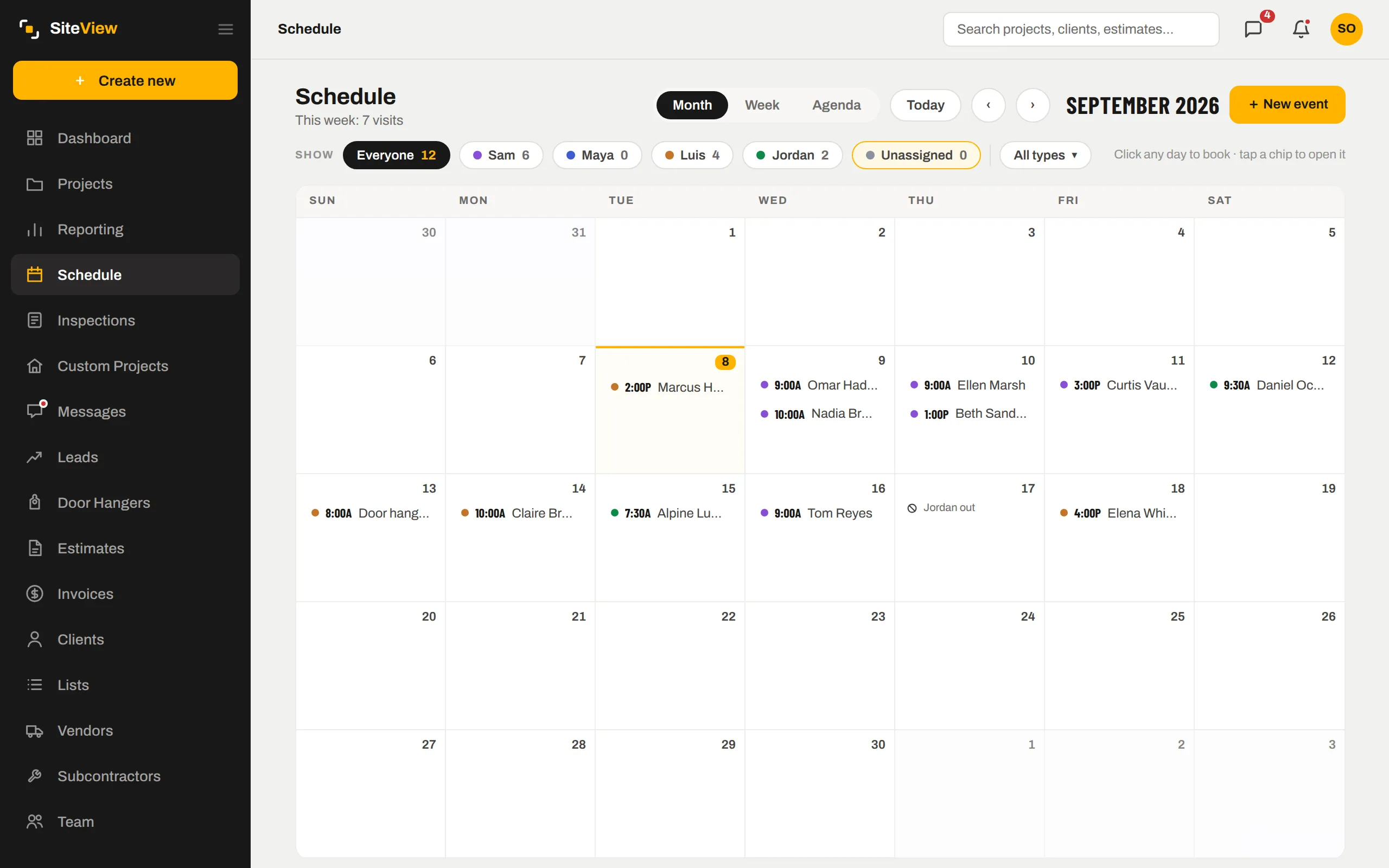
Month, week or agenda. Filter to one person, or to unassigned visits that still need a name. Book a visit on any day with one click; a conflict shouts before you save. Days off sit on the same calendar so nobody gets booked on their day off.
- One colour per teammate — a glance says whose day it is
- "Needs a name" queue for visits nobody owns yet
- Client meetings, internal tasks, vendor deliveries, other — each its own kind
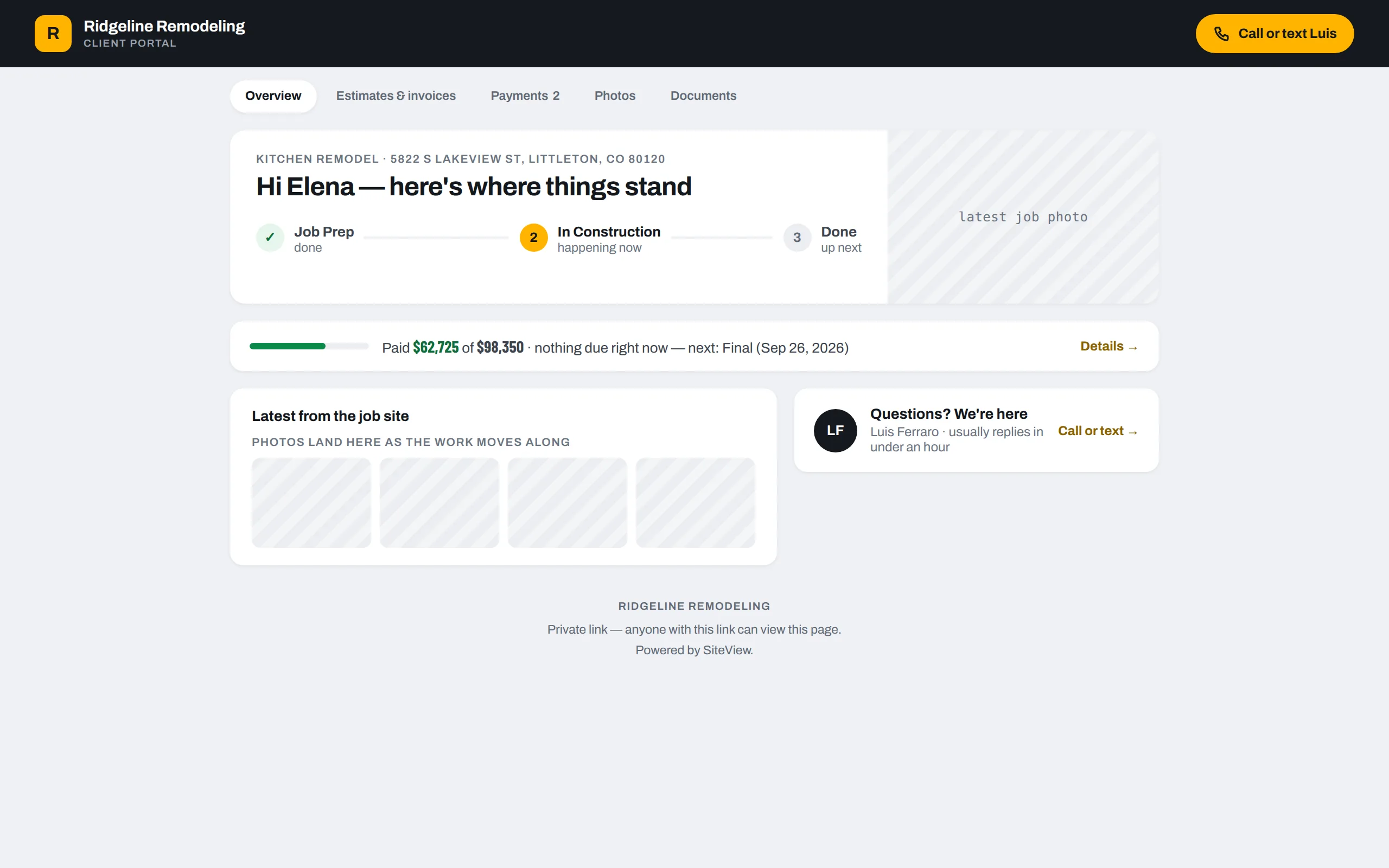
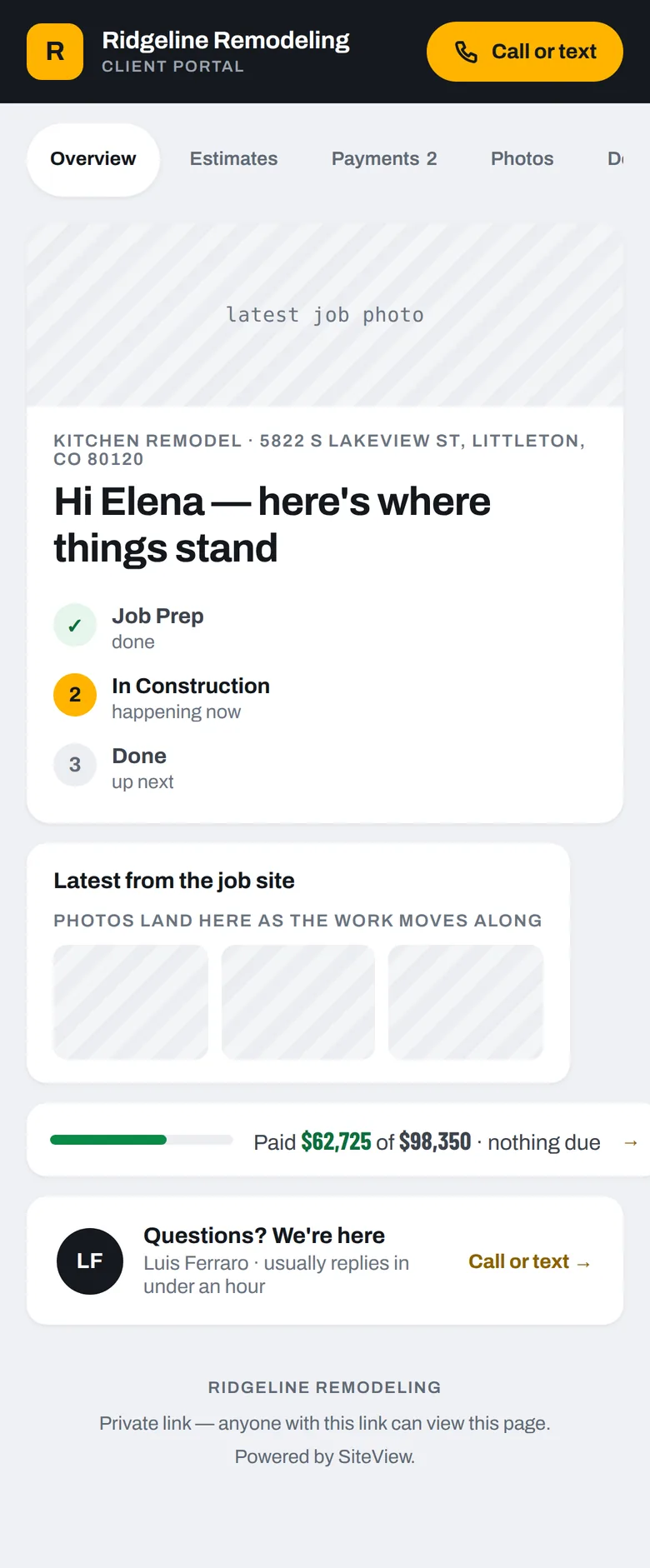
The answer to "any update?" before they ask.
The link itself is the access — a long private token, like a bank statement link. Text it or email it once. They open it on their phone whenever they want to know how things are going, and they see their job and nothing else.
- Turn a client's portal off and on from their record
- Call-or-text button goes straight to the PM on the job
- Their estimates, invoices, photos and documents in tabs
Marketing you can actually price.
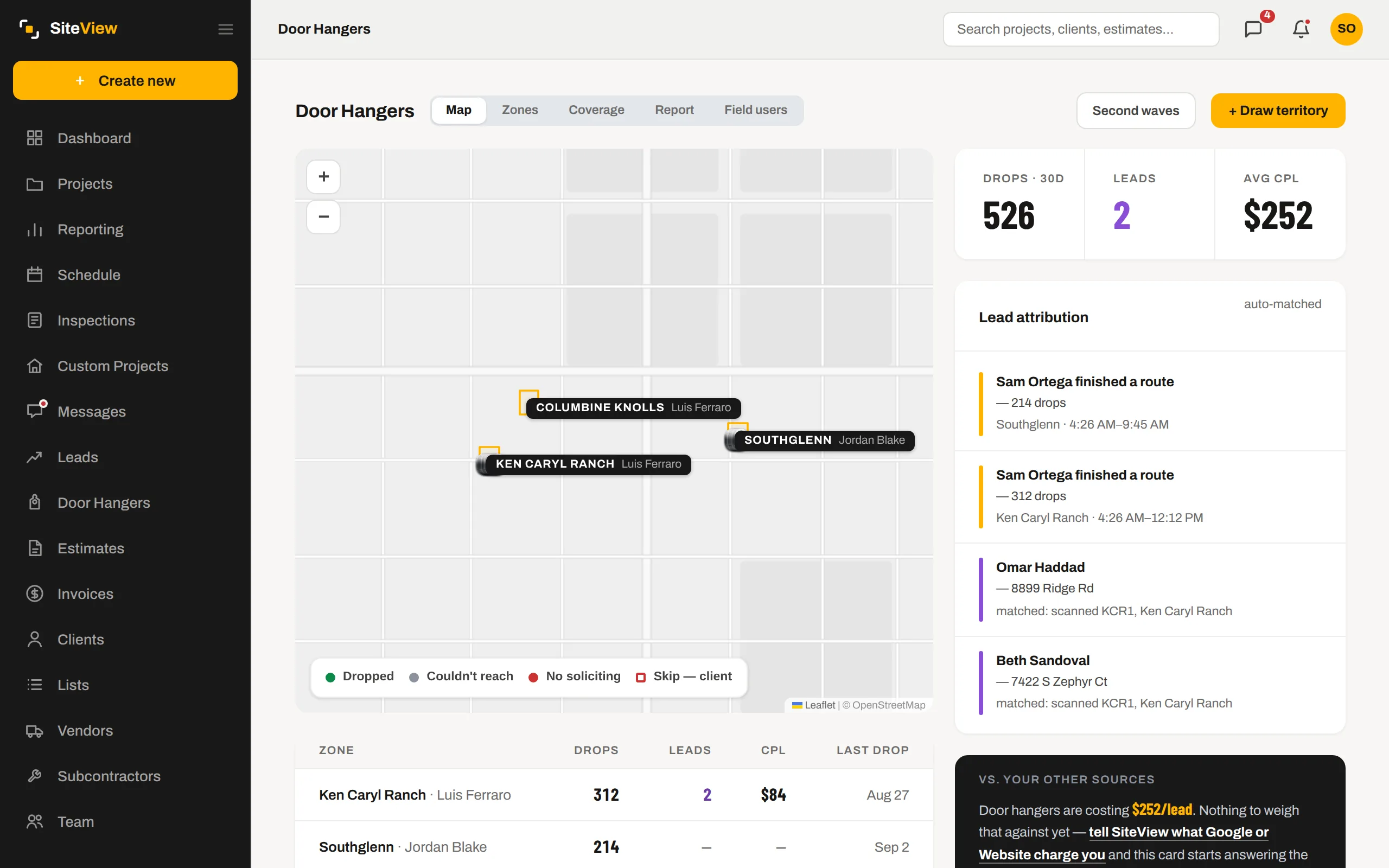
The QR on the hanger carries the territory. A scan, a form, a call — the lead lands in Messages tagged Door hanger and matched to the territory, then to the address. Cost per lead per territory comes out on its own. Next to it: what your other sources cost per lead, if you tell SiteView what you paid them.
- Leads auto-matched to the nearest drop within your radius
- Cost per lead per territory, per wave
- "Door hangers are costing $252/lead" — compared to the rest
Three things that make it different.
It runs a working remodeling company in Colorado every day. Features arrive because a job needed them, and they get removed when they turn out not to help.
If SiteView shows you a cost per lead, it is what you were actually billed. Where it doesn't know, it says so instead of filling the gap with an average.
Installs on a phone like an app. Keeps working on one bar of signal. Every screen is built to be used standing up, with one hand, with a tape measure in the other.
- 1$250 a month, flat. Add the whole crew; the price does not move.
- 2We set you up. Your first job goes in with us on the call, not from a video.
- 3Your data is yours. Export everything, any time, whether you stay or not.
Try it on a real job, free for 7 days.
Add a card, and nothing is charged for a week. Put one real estimate through it; if it is not for you, cancel from your account and take your data with you.
Home remodel, custom build, ADU and design-build companies. Anywhere in the US.